GEOANIMATOR JOURNAL
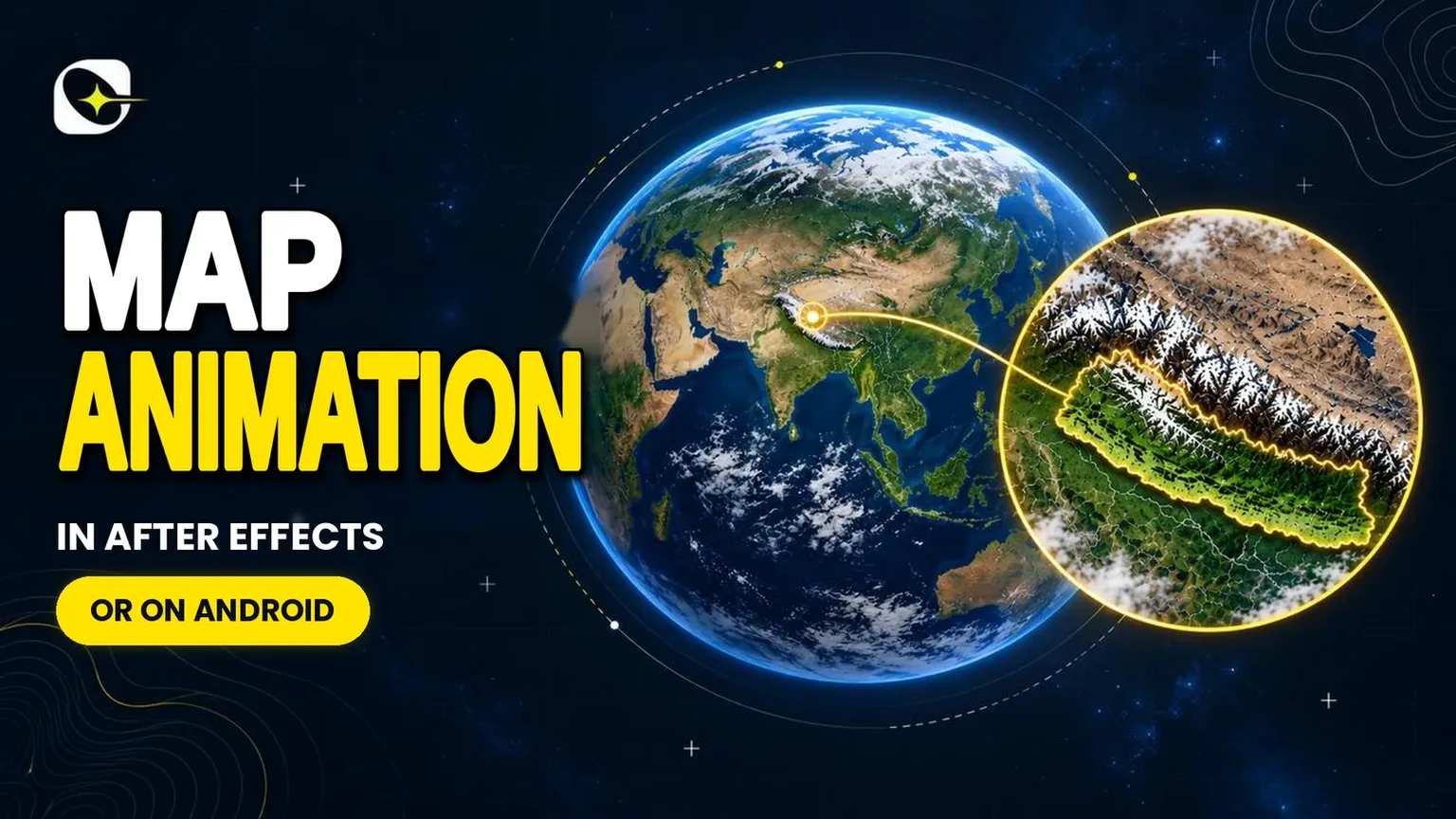
Map Animation in After Effects, or Without It on Android
Map animation after effects gives full control but a steep learning curve. See when it is worth it and how to make a map clip on Android instead.

In this article11 sections
- 01What is a map animation?
- 02How does map animation after effects work in practice?
- 03Is there a map animation plugin for After Effects?
- 04How can I track motion in After Effects?
- 05Is AE or CapCut better?
- 06What does After Effects cost?
- 07How to generate map animation on Android with GeoAnimator
- 08After Effects or a map app: which one for your video?
- 09When After Effects is the right call
- 10A hybrid workflow
- 11Frequently asked questions
Search for map animation after effects and the first results are long YouTube tutorials, a Reddit thread asking how a particular map was made, and Adobe's own page on animating a map. They all point the same way: it can be done, and it takes a while.
That is worth knowing before you start. Map animation in After Effects means building the map from layers or shapes, keyframing every reveal and camera move by hand, and rendering the result. For a documentary with a custom look, that control is the reason people use it. For a 30-second geography clip, it is a lot of setup.
This post explains what the After Effects route involves, when it is worth the effort, and how to make the same kind of map clip on an Android phone with GeoAnimator when it is not.
What is a map animation?
A map animation is a video in which a map changes over time: countries or regions highlight, a camera zooms or pans, routes draw themselves and labels appear on cue. It turns a static map into a sequence that explains something, which is why news, history and geography channels use it so often.
The same idea can be built in a motion graphics program or in a purpose-built map app.
The difference is how much of the map you have to construct yourself.
How does map animation after effects work in practice?
In After Effects you supply the map yourself, usually as an image or vector shapes, then animate it by hand with keyframes: a camera move for the zoom, masks or shape layers for highlights, and trim paths for lines that draw on. The software gives you total control and expects you to build every piece.
That is why tutorials for this topic run long. A typical project involves finding or drawing the map, separating the regions you want to highlight, setting up the camera and animating each element in turn.
What you get for the effort
The payoff is flexibility, and it is a real one. You can match any visual style, combine the map with live footage and add effects the map apps do not have. If your video needs a look nobody has done before, After Effects is a reasonable place to build it.
Is there a map animation plugin for After Effects?
Yes. Script and plugin marketplaces list tools for building animated maps inside After Effects, and template sites sell ready-made map projects you can edit. These shorten the setup, but you still work inside After Effects, so the learning curve and the subscription remain.
Templates are the fastest way in if you already own the software.
Where templates fall short
You swap the colors, labels and locations, and render. The limit is that a template only does what its author planned, so a map of a country the template does not include means rebuilding that part yourself.
How can I track motion in After Effects?
After Effects has a tracking feature that follows a point or surface across footage so you can attach another layer to it. Map videos use it when a graphic, such as a highlighted region, has to stick to a moving shot. It is useful for live-action overlays and not needed for most pure map animations.
Tracking becomes relevant when you film a real globe, a wall map or a screen and want graphics to follow it. In that case you place a tracking point on a feature that stays visible, let the software follow it frame by frame, and attach your highlight or label to the result.
If your video is only a map, you can skip tracking altogether, because the camera move is something you create rather than follow.
Is AE or CapCut better?
Neither is better in general, because they suit different jobs. After Effects is a professional compositing tool with a steep learning curve, while phone editors focus on quick cuts. For a map clip specifically, a dedicated map app is often the quickest of the three.
The honest way to choose is by the task. Heavy custom graphics point to After Effects. Quick social cuts point to a phone editor.
A short clip where countries highlight and the camera moves in points to a map app, and that is also where GeoAnimator sits. A news explainer with five highlighted countries, a history clip that zooms from a continent into one border region, a geography lesson that reveals regions one at a time: all of these are map-first jobs, and a map-first tool handles them without any of the setup a general compositing program asks for.
What does After Effects cost?
On its product page, read in October 2026, Adobe lists After Effects at US$22.99 a month on the Annual, billed monthly plan, with a seven-day free trial. Other plans and promotions exist, so check the page for what applies to you.
You also need a computer able to run it.
The trial gives you a week to see whether the learning curve suits you.
Fair for professional work.
For an occasional map clip, though, it is more tool than the job needs, and that gap is the whole reason map apps exist. Paying for a full compositing suite to highlight three countries and zoom in is a bit like renting a truck to carry one bag of groceries.
How to generate map animation on Android with GeoAnimator
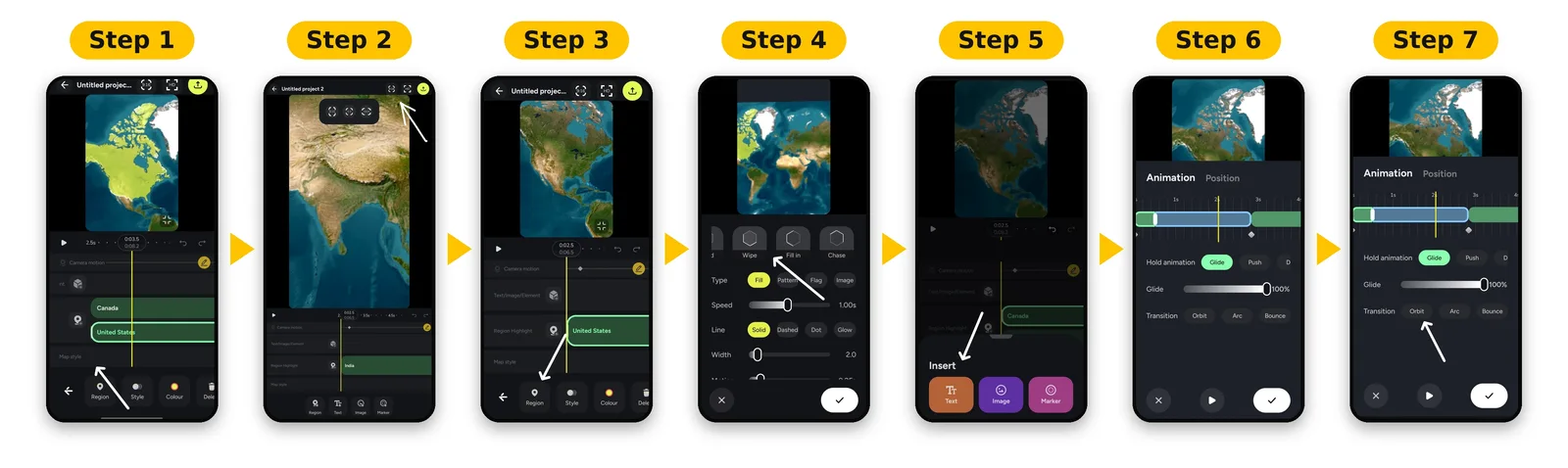
You generate a map animation on Android by choosing a map style, selecting the countries to highlight, picking a reveal, setting camera keyframes and exporting. GeoAnimator does this on a layered timeline, so a basic clip takes minutes instead of building the map from scratch.
Install it from Google Play, then work through these steps.
Start a project and pick a map style. Pro unlocks all map styles.
Search for a country or region and select it. Each highlight gets its own layer.
Choose how it appears: Fade, Flood, Wipe or Chase.
Set a camera keyframe on the wide view, then another zoomed in, and choose a hold: Push, Drift or Orbit.
Pick the transition between them: Orbit, Arc or Bounce.
Add text, pins or a travel path where the story needs them.
Export in 16:9, 9:16 or 1:1.
For the zoom in particular, the guide to the map zoom from world to country goes through each keyframe setting.
After Effects or a map app: which one for your video?
The table sums up the trade-off. Both can produce a good map video, and the right choice depends on how custom the result needs to be.
| Question | After Effects | GeoAnimator |
|---|---|---|
| Platform | Computer software | Android app only |
| Map source | You supply and prepare it | Built-in map styles |
| Highlighting a country | Build it with masks or shapes | Search and select |
| Camera moves | Keyframe a camera yourself | Keyframes with Push, Drift or Orbit holds |
| Custom visual style | Unlimited | Limited to what the app offers |
| Live footage compositing | Yes | No |
| Learning curve | Steep | Short |
If you are still weighing map tools generally, the comparison in how to pick a map animation maker covers what else to check.
One limit worth repeating: GeoAnimator does not publish its price, export resolution or frame rate, so confirm those in the Play listing before you plan a delivery spec.
When After Effects is the right call
Pick After Effects when the map is one layer of a larger composite or the look has to be unique. Some clear cases:
The map shares the frame with live footage, graphics or effects that a map app does not handle.
You need a visual style that no built-in map style offers.
You already own the software and edit in it every week, so the setup cost is already paid.
If none of those describe your video, a map-first app will get you to the finished clip sooner.
A hybrid workflow
You do not have to pick one.
Plenty of creators make the map shots in a quick app, export them, and bring them into a bigger edit. That keeps the slow tool for the parts only it can do.
For example, build the zoom from the full world to a single country in GeoAnimator, then place the clip in your editor between interview footage. The animated map creator guide shows what makes such a clip hold attention.
Frequently asked questions
Is there a map animation plugin for After Effects?
Yes. Marketplaces list scripts and plugins for building animated maps in After Effects, and template sites sell editable map projects. They save setup time, but you still work inside After Effects, so the software, its subscription and its learning curve all come with them. A template only covers what its author included.
How to generate map animation?
Choose a map, highlight the places that matter, animate how they appear, move the camera in on the detail and export. You can do that by hand in After Effects or on Android in GeoAnimator.
What is a map animation?
A map animation is a video where the map changes over time. Regions highlight, the camera zooms or pans, routes draw on and labels appear on cue, which turns a static map into a sequence that explains something to the viewer.
How can I track motion in After Effects?
After Effects has a tracker that follows a point or surface through footage so another layer can stick to it. It matters for overlays on live-action shots. A video that is only a map does not need it, since you create the camera move yourself.
Is AE or CapCut better?
Neither wins everywhere. After Effects suits custom graphics and compositing and takes time to learn. Phone editors suit quick cuts. For a short map clip with highlighted countries and a zoom, a dedicated map app is usually the fastest of the three options and the least work.
If your project mixes a map with live footage, After Effects is still the stronger choice, because compositing is what it is built for. If the map is the whole video, the extra power mostly goes unused.
Can I make a map animation without a computer?
Yes, on an Android phone. GeoAnimator runs on Android only, so there is no iPhone version, and the whole edit happens in the app: pick the map style, select countries, set reveals and camera keyframes, then export in 16:9, 9:16 or 1:1 without touching desktop software.
Jaseel S is the CEO and founder of Lascade, the app studio behind GeoAnimator, the Android app for turning maps into animated videos. He leads a team of over 40 engineers, designers and creatives building consumer mobile apps that turn screen time into meaningful experiences. Under his leadership, Lascade has shipped more than 10 apps across travel, productivity, education and lifestyle, including GeoAnimator and SmartRuler. Each one starts from the same question: what would make a phone genuinely useful for something people already want to do? GeoAnimator came from one of those questions. Map videos are everywhere on YouTube, Shorts and in classrooms, yet making one has usually meant desktop editing software, plug-ins and hours of manual keyframing. At Lascade, Jaseel sets the direction for an editor that puts the whole job on a phone: search for a country, give it a fill colour, flag or pattern, reveal it with a fade or wipe, move the camera from the whole globe down to a single region, and export a clip in 9:16, 16:9 or 1:1, ready to post from the same device. In the GeoAnimator journal, Jaseel writes practical, step-by-step guides to map animation. They cover how to choose a map animation maker for the job in front of you, how to build a smooth zoom from world to country with camera keyframes, how to style a country highlight that reads clearly at a glance, and how GeoAnimator compares with tools like AnimateMyMap. Each guide is built around a real clip made in the app, so the steps, settings and timings match what readers will see on their own screens. His writing is aimed at the people who make these videos every week: teachers explaining history and geography, YouTube channels telling stories about places, news explainers showing where something happened, and travellers who want to share where they have been. The goal is the same in every post: help readers get from an idea to a finished, shareable map video in minutes, not hours.